I download and installed Aptana Studio 2.0 on my machine. But, it currently support jquery 1.4.2 version. Therefore, I created a jquery 1.5 version plugin for aptana 2.0. I created a simple project and see it works fine so far. Here is the simple installation steps.
1)Download plugin by clicking this: com.jquery.1.5_1.5.jar
2) Copy file com.jquery.1.5_1.5.jar to directory %apatana install directory%/dropins/
3) Start Aptana 2.0 and enable the code assist as shown in the following picture.

4) Open JQuery View by select Menu Windows -> Show view -> Others... -> Visual JQuery . Below is a screen shot for this.
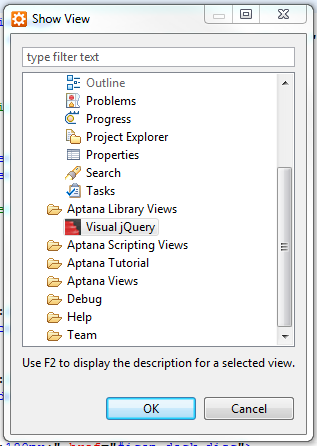
Enjoy it.

